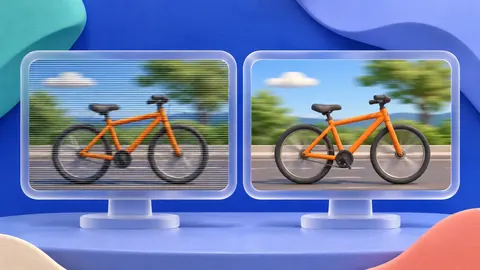
H.264, H.265 (HEVC) and AV1 are all video codecs: different ways of compressing the picture. H.264 makes the biggest files but plays on practically everything. H.265 and AV1 make much smaller files at the same quality, but need newer hardware to play smoothly and take longer to encode. For a video you're sending to other people, H.264 is still the safe choice; for storing your own footage or streaming to modern devices, the newer codecs pay off.
At a glance
| H.264 (AVC) | H.265 (HEVC) | AV1 | |
|---|---|---|---|
| Finalised | 2003 | 2013 | 2018 |
| File size at the same quality | Largest | Much smaller | Smallest, usually a little below HEVC |
| Plays on | Practically everything | Apple devices and most recent PCs, phones and TVs | Recent browsers, phones, PCs and TVs |
| Software encoding speed | Fast | Slower | Slowest at high quality settings |
| Licensing | Patent pool | Several patent pools | Designed to be royalty-free |
| Where you meet it | Downloads, older cameras, most shared video | iPhones, GoPros, drones, 4K and HDR | YouTube, streaming services, web video |
H.264: the one that plays everywhere
H.264, also called AVC, has been the default video codec for most of the past twenty years. Every phone, computer, browser, TV, games console and video editor made in the past fifteen years or so can decode it, almost always with a dedicated chip, so it plays smoothly and uses little battery.
Its encoders are fast and mature. x264, the H.264 encoder inside HandBrake and FFmpeg, gives excellent results even on modest computers.
The downside is size. At the same quality, H.264 files are noticeably bigger than HEVC or AV1, and the gap grows at 4K. It's also a poor fit for HDR: a 10-bit version of H.264 exists, but few devices play it.
Use it for: anything you're sending to other people, uploads where you're not sure what the site accepts, older devices, and any time "it must just play" matters more than file size.
H.265 (HEVC): smaller files, patchier playback
HEVC was designed to replace H.264 with roughly the same quality at about half the bitrate. FFmpeg's H.265 guide says the x265 encoder's default quality setting should look about the same as x264's default, at about half the file size.
It's what iPhones record when Settings › Camera › Formats is set to High Efficiency, and many Android phones, GoPros and drones offer it too. It's the standard codec for 4K Blu-ray discs and is widely used for HDR video.
The weak spot is playback. Windows needs a separate extension, browser support depends on the computer's hardware, and older TVs and devices often can't decode it. What is HEVC goes through each case and the fixes.
Use it for: recording and storing your own footage, 4K and HDR, and files you'll play on your own modern devices.
AV1: the royalty-free newcomer
AV1 comes from the Alliance for Open Media, a group founded in 2015 by companies including Google, Amazon, Cisco, Intel, Microsoft, Mozilla and Netflix (Apple joined later). It builds on Google's earlier VP9 codec and was designed to be free of royalties, which is why browsers and streaming services adopted it quickly. YouTube and Netflix stream AV1 to devices that support it.
Compression is excellent: usually a little better than HEVC. Two things hold it back:
- Playback hardware is newer. Graphics chips on PCs from about 2020 onwards, and many phones from the last few years, decode AV1 in hardware. Apple added it with the iPhone 15 Pro and Macs with M3 chips. Without hardware, a fast computer can still decode AV1 in software, but older phones and laptops struggle and burn battery.
- Encoding is slow. The original AV1 encoder was very slow. Newer ones, such as SVT-AV1 (the one HandBrake uses), are much faster, and recent graphics cards can encode AV1 in hardware, but at high quality settings it still takes longer than HEVC.
AV1 video can go in MP4, MKV or WebM files. VP9, its predecessor, is still common in WebM files: see what is WebM.
Use it for: video on your own website (alongside an H.264 version), the smallest files for devices you know are recent, and archiving if you're happy to wait for encodes.
Which should you use?
| You're making… | Use | Why |
|---|---|---|
| A video to send to friends, family or clients | H.264 | It plays on whatever they have |
| A YouTube upload | H.264 at a high quality setting | YouTube re-encodes everything into its own formats anyway, so a widely supported, high-quality upload is what matters |
| A copy of your own phone or camera footage | Keep the original file | Re-encoding always loses a little, and phone footage is often HEVC already |
| A smaller archive of old footage | HEVC | Big savings, and modern devices play it |
| 4K or HDR | HEVC | The widest hardware support for 10-bit video |
| Video on your own website | H.264, plus an optional AV1 version | Every browser plays H.264; those that support AV1 can load the smaller file |
| The smallest file for recent devices | AV1 | Best compression of the three |
Tools built for sharing usually stick to H.264 for this reason. ClipMerge, for example, saves merged videos as H.264 MP4 in almost every browser, because that's the version that plays on whatever the other person has.
How to pick the codec when you export
In HandBrake
The codec is the Video Encoder menu on the Video tab:
- H.264 (x264), H.265 (x265) and AV1 (SVT) are the software encoders: slower, best quality for the size.
- Versions with VideoToolbox (Mac), NVEnc (NVIDIA) or QSV (Intel) in the name use your computer's hardware encoder. They're much faster, but usually need a bit more bitrate for the same quality.
The Constant Quality slider sets the quality. Lower numbers usually mean better quality and bigger files (the VideoToolbox encoders work the other way round), and the same number doesn't mean the same quality across different encoders.
In FFmpeg
H.264, at x264's default quality:
ffmpeg -i input.mov -c:v libx264 -crf 23 -preset medium -c:a aac -b:a 160k output.mp4
H.265, at x265's default quality, tagged so Apple devices recognise it:
ffmpeg -i input.mov -c:v libx265 -crf 28 -preset medium -tag:v hvc1 -c:a aac -b:a 160k output.mp4
AV1 with SVT-AV1 (your FFmpeg build needs to include libsvtav1; many do):
ffmpeg -i input.mov -c:v libsvtav1 -crf 35 -preset 8 -c:a aac -b:a 160k output.mp4
-crfis the quality. x264 and x265 use a scale of 0 to 51 and SVT-AV1 uses 0 to 63; in all of them, lower means better and bigger. The values above are a reasonable middle.-presettrades speed for efficiency. For x264 and x265,slowmakes a smaller file thanmediumat the same quality, but takes longer. For SVT-AV1, the preset is a number: lower is slower and better.- If the source is 10-bit HDR from a phone and you want ordinary 8-bit H.264, add
-pix_fmt yuv420p.
What a newer codec won't do
- It won't improve quality. Converting an H.264 file to HEVC or AV1 can only keep or lose detail. What it can do is make the file smaller.
- It won't fix a bad source. A blurry, noisy or heavily compressed clip stays that way. Encode from the best original you have, once, rather than converting copies of copies.
- It won't help if nobody can play it. The smallest AV1 file is useless to someone with an older laptop. Match the codec to the viewer.
- The file extension won't tell you which one you have. An .mp4 can contain any of the three. Codecs and containers explained shows how to check, and video bitrate explained covers how quality settings turn into file size.