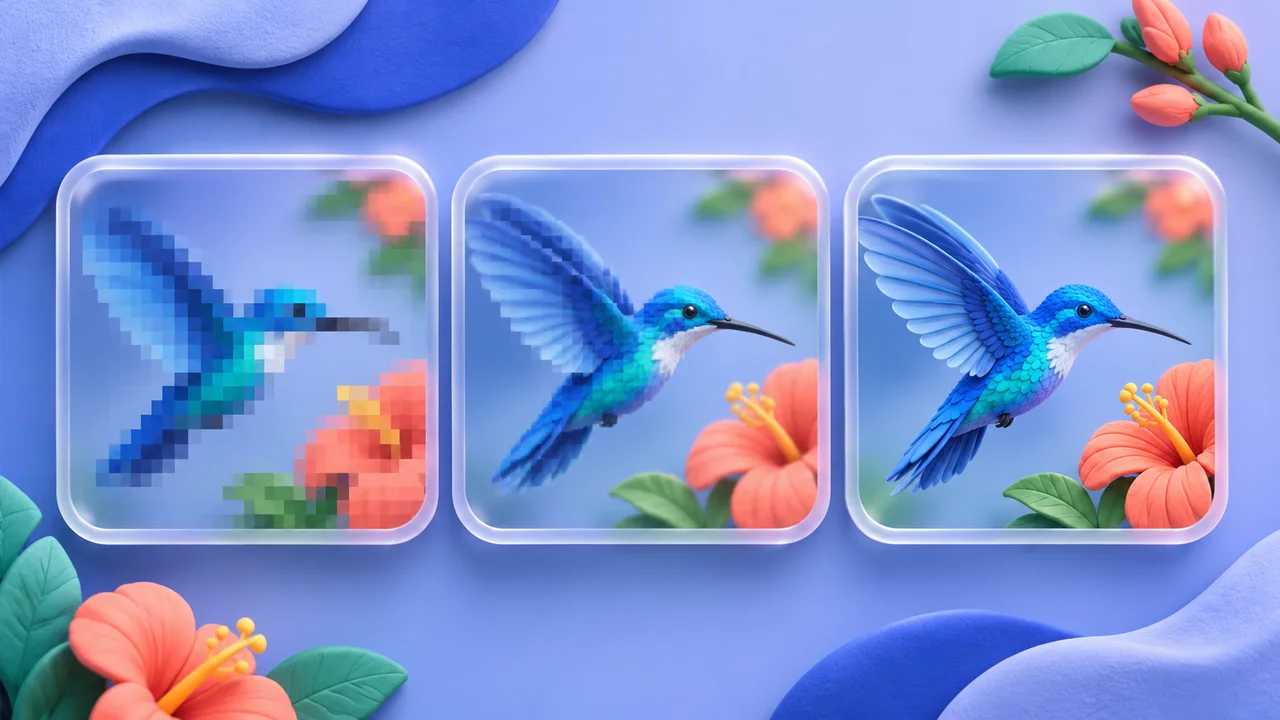
Resolution is the number of pixels in each frame of a video, written as width × height or just by the height. 720p is 1280×720, 1080p (Full HD) is 1920×1080, and 4K (Ultra HD) is 3840×2160, which is four times as many pixels as 1080p. More pixels can show finer detail, but only if the camera captured it and the screen is big enough to show it, and they cost storage, upload time and editing power.
The resolutions side by side
| Name | Size (16:9) | Pixels per frame | Compared with 1080p |
|---|---|---|---|
| 480p (SD) | 854×480 | 409,920 | About a fifth |
| 720p (HD) | 1280×720 | 921,600 | Under half |
| 1080p (Full HD) | 1920×1080 | 2,073,600 | The same |
| 1440p (QHD) | 2560×1440 | 3,686,400 | About 1.8 times |
| 4K (UHD) | 3840×2160 | 8,294,400 | 4 times |
| 8K | 7680×4320 | 33,177,600 | 16 times |
A few naming quirks:
- "4K" usually means 3840×2160 on phones, TVs and YouTube. Cinema cameras also use DCI 4K, 4096×2160, which is slightly wider.
- "2K" is ambiguous. In cinema it's 2048×1080, about the same as 1080p. YouTube labels 1440p as 2K.
- DVDs aren't 854×480. They store 720×480 (NTSC) or 720×576 (PAL) and stretch it to the right shape when played. Aspect ratios explained covers why.
- Vertical video uses the same names. A 1080×1920 phone video is still called 1080p; it's just turned on its side.
What the "p" means
The "p" stands for progressive: each frame is a complete picture. Its opposite is "i" for interlaced, as in 1080i, where each frame is sent as two half-pictures of alternate lines. Interlaced video comes from older camcorders and broadcast TV, and it shows comb-like lines on moving edges if it isn't converted properly. Interlaced vs progressive explains how to fix that.
When 4K is worth it
4K isn't automatically better. It's worth it when you'll use the extra pixels.
Worth it when:
- You'll watch on a big 4K TV or monitor. That's where the extra detail is visible.
- You want to crop or reframe later. From a 4K frame you can zoom in to half the width and still have a full 1080p picture, or cut a sharp vertical 1080×1920 video out of a landscape shot.
- You'll stabilise in an editor. Stabilisation crops the edges, and 4K leaves room for it.
- It's footage you'll keep for decades. A wedding or a child's first steps is worth recording at the highest quality your phone offers; you can always make a smaller copy.
Not worth it when:
- It'll only be watched on phones. On a screen that small, the difference between 4K and 1080p is hard to see.
- It's going to a vertical-video app. At the time of writing, Instagram and TikTok show videos at around 1080 pixels wide, so a 4K upload is scaled down anyway.
- Storage is tight or the recording is long. An hour-long school concert in 4K takes several times the space of the same concert in 1080p.
- Your computer struggles. 4K editing is much heavier, and some older computers can't play 4K HEVC smoothly at all.
Downscaling works in your favour, though: 4K footage scaled down to 1080p often looks a little crisper than footage recorded at 1080p on the same camera, because the scaling averages away some noise and softness.
Resolution and file size
File size grows with resolution, though not in exact step with the pixel count, and it depends just as much on the codec and quality setting. YouTube's recommended upload bitrates give a sense of scale. At 30 fps it suggests 5 Mbps for 720p, 8 Mbps for 1080p, and 35 to 45 Mbps for 4K. So a good 1080p file carries about 1.6 times the data of 720p, and a good 4K file roughly four to six times the data of 1080p.
For your own phone, check the camera settings. On an iPhone, Settings › Camera › Record Video shows an estimate of how much space a minute takes for each resolution and frame rate. If your videos are already too big, our guide to making video files smaller shows how much dropping a resolution step saves.
What platforms actually show
| Platform | Highest it plays (at the time of writing) | Notes |
|---|---|---|
| YouTube | Up to 8K | 4K playback needs a browser or device with VP9 support |
| Instagram, TikTok | Around 1080 wide | Higher uploads are scaled down |
| WhatsApp (sent normally) | Compressed | HD was 720p when it launched; send as a document to keep the original |
| Email, messages | Whatever fits the size limit | Usually 720p or less for anything long |
So for YouTube, upload the highest resolution you filmed. For Reels, TikTok and Shorts, 1080×1920 is the sweet spot.
Upscaling doesn't add detail
You can turn a 720p video into a "4K" file, but you can't add detail that the camera never captured. Upscaling works out new pixels by blending the ones around them, so the result is a bigger, softer version of the same picture, and a much bigger file.
AI upscalers go further and guess at detail such as edges, textures and faces. The results can look sharper, but the extra detail is invented, and faces and text in particular can come out subtly wrong. For important footage, keep the original alongside.
Upscaling does have one practical use: making a low-resolution clip match the size of the others in a project, so the whole video doesn't have to drop down to it.
Mixing resolutions in one video
When clips of different resolutions are joined, everything has to end up the same size. Editors scale each clip to the project's resolution. Simpler tools follow a rule: in ClipMerge, the merged video is as tall as the shortest clip or photo, and it keeps 4K when your browser can encode it, otherwise 1080p.
That means one 720p clip among 4K ones makes the whole merged video 720p. If that low-resolution clip is a small part of the video, upscale it to match the others first (in HandBrake or FFmpeg), or leave it out. Merging videos with different resolutions goes through the options in detail.
Which resolution to choose
| What you're making | Film at | Export at |
|---|---|---|
| Reels, TikTok, Shorts | 1080p, or 4K if you'll crop | 1080×1920 |
| YouTube videos | 4K or 1080p | Same as filmed |
| Family events to keep | 4K | Keep a 4K master, share a 1080p copy |
| Screen recordings | Your screen's own resolution | 1080p is enough for most tutorials |
| Videos to send by message | Anything | 720p or 1080p |